Getting started
Tilt Shift Camera is made for filming your farm. It gives Farming Simulator 25's third-person views the look of a tilt-shift photograph: a band across the screen stays sharp and everything above and below it is blurred, which makes the scene look like a miniature model. By default the sharp band follows whatever your camera orbits, so your tractor or your character stays in focus.
On top of the blur you can add bokeh on bright points, raise the saturation and contrast, and darken the corners. The panel also gives you lens controls (field of view, a view without perspective, lens shift and a longer camera distance), the game's own distance blur and colour grading, and a frame limit for a stop-motion look. The mod can also draw its own rain, snow and hail, which follow the game's weather and blur with the rest of the picture. You can save a look you like as a profile and bring it back with a hotkey.
There are three optional extras, all off at first: static cameras that you place around the map, preview windows that show what each camera sees, and a camera timeline that cuts between the cameras on its own, for example to record a timelapse of your workers in the field.
Everything is drawn live in the game, so what your screen recorder captures is the finished picture. The mod does not record anything itself: use the recording software you already have. See Filming below.
Quick start
- Install the mod. Either copy
FS25_TiltShift.zipinto your mods folder (Documents/My Games/FarmingSimulator2025/mods) or download it from ModHub in the game. Then activate it for your savegame. - Switch to a third-person view: on foot in third person, or a vehicle's outside camera. The effect does not apply to other views.
- Press Right Ctrl + J to turn the effects on. They are always off when you load a game, but your settings are kept.
- Press Right Ctrl + K to open the panel. The panel explains how to use it, Looks and profiles covers the built-in looks and how to save your own, and Effects describes every setting.
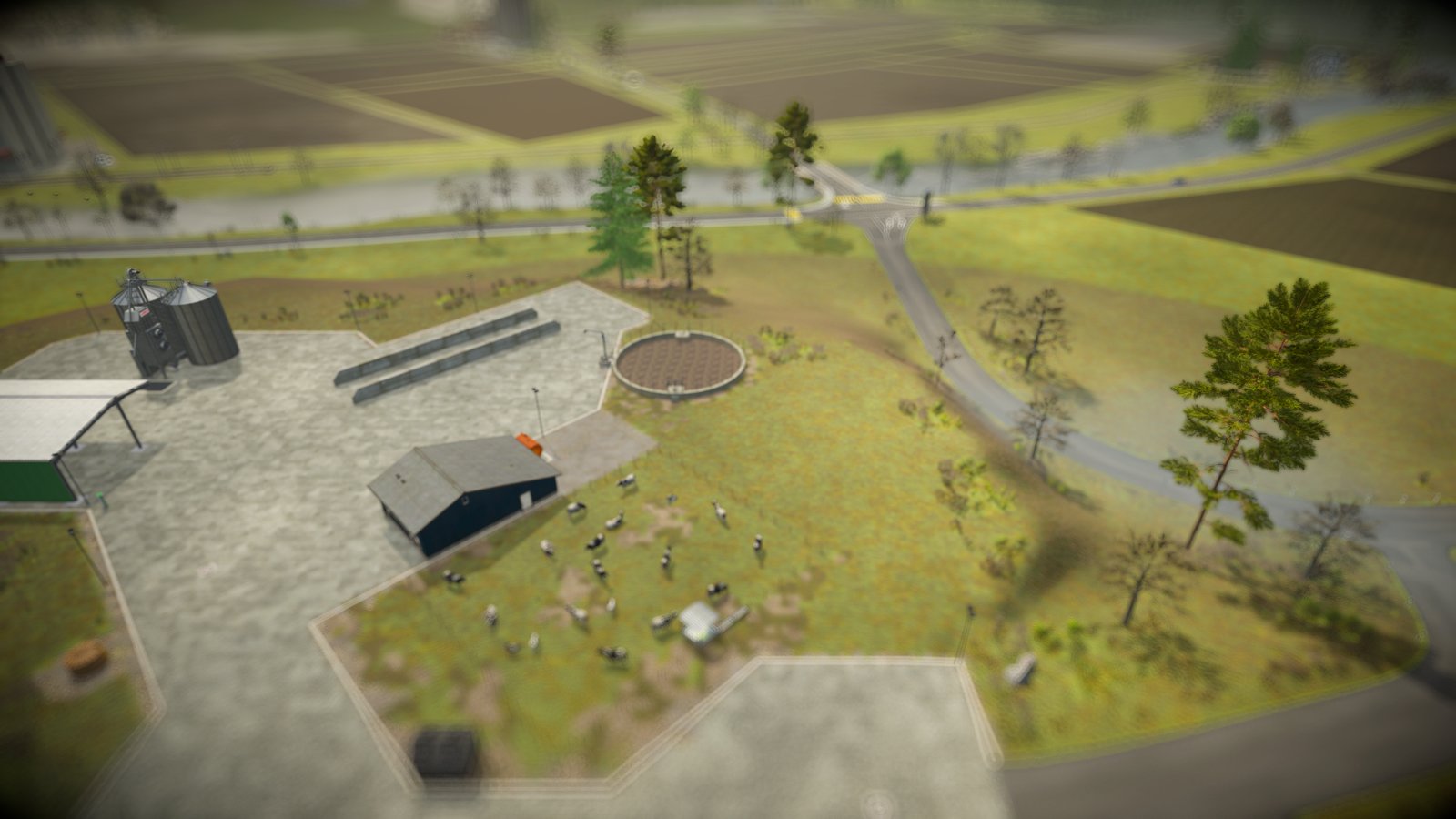
Where the effect applies
The effect does not apply to cab views, first person or fixed vehicle cameras. It does apply to free and cinematic cameras from other mods, because it follows whichever camera is active. The shop, the workshop, build mode and the wardrobe always show the game without the effect.
Extras
Static cameras, preview windows and the camera timeline are off until you switch them on in the EXTRAS rows of the panel's TILT SHIFT section. Each one needs the one before it, so its row only appears once that one is on:
- Static Cameras
- Preview Windows, once Static Cameras is on
- Camera Timeline, once Preview Windows is on
Filming
The mod sets up the picture; your screen recording software captures it. A few things to know before you record:
- The look is in the game. The tilt-shift blur, the weather and the colours are rendered live, so the recording needs no editing afterwards. Right Ctrl + 1 to 9 switch profiles while you record.
- Your own work from the side. Place a static camera at the edge of the field and press Right Ctrl + C: you keep driving while the camera films you. The game is not paused.
- Timelapses and multi-camera videos. Build a camera timeline and press Right Ctrl + T. The panel, all windows and the HUD disappear, a countdown runs, and the timeline cuts between your cameras without any message on screen. Start the recording once the countdown has gone.
- The HUD. The game itself has no key to hide the whole HUD. The timeline and the map's Switch to Camera hide it for you; while you look through a camera with Right Ctrl + C, the HUD stays on screen, and so does the mod's bar of keys at the bottom.
Multiplayer
The mod works in multiplayer. It only changes what you see on your own screen, and each player has their own cameras and timeline.